Beatbox it, get drums
Mouthpiece listens to your mic. Say “b”, “psh” and “ts” and you get kicks, snares and hi-hats, snapped to the beat.
Hum or sing a tune and it writes the notes you sang. Or record your voice straight onto a track.
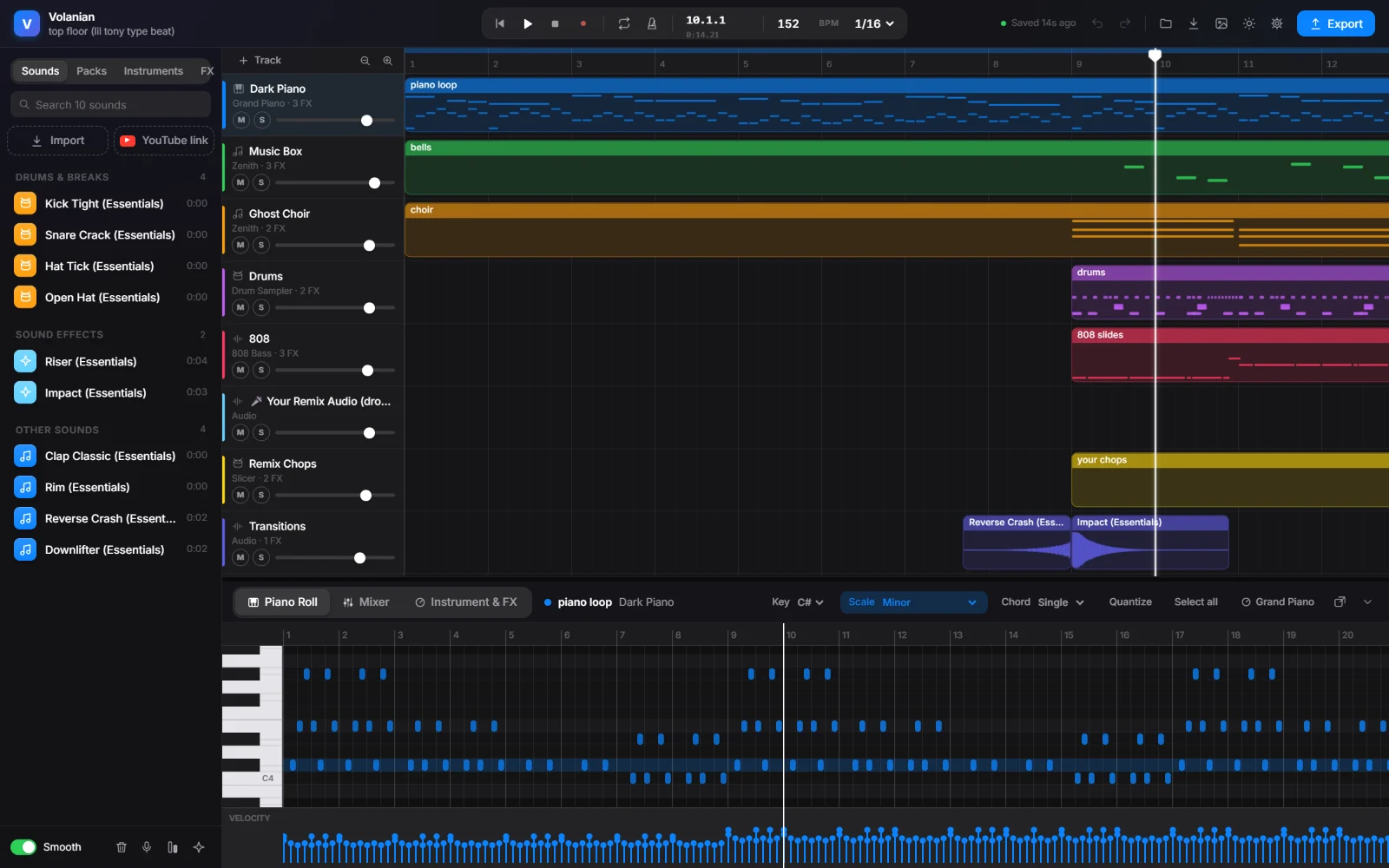
Volanian is a free music studio for Windows. Draw melodies in the piano roll, program drums, slide your 808s, add effects, and turn your own beatbox into a drum pattern.
Download for WindowsFree. 0.6 MB. Windows 10 and 11.
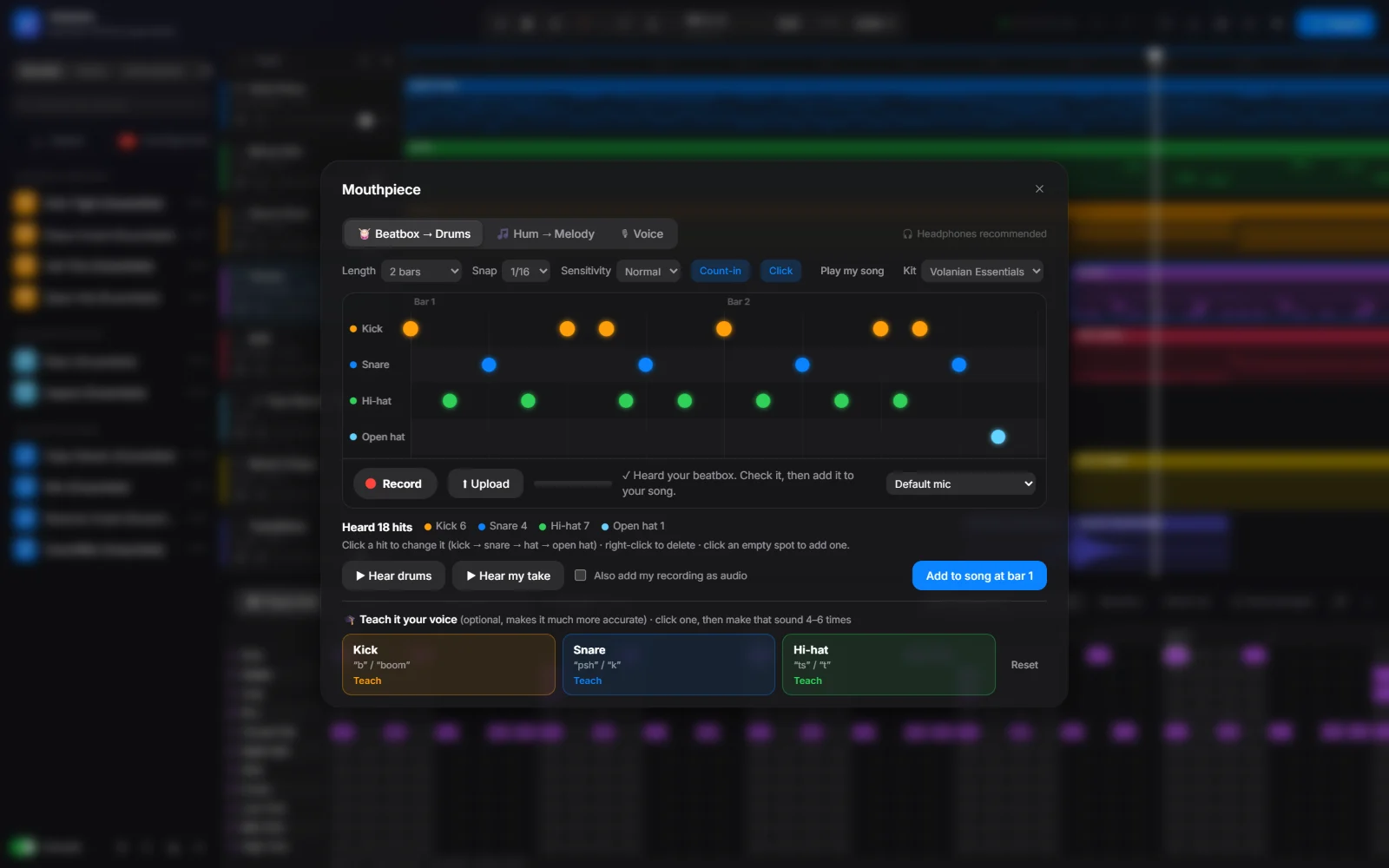
Mouthpiece listens to your mic. Say “b”, “psh” and “ts” and you get kicks, snares and hi-hats, snapped to the beat.
Hum or sing a tune and it writes the notes you sang. Or record your voice straight onto a track.
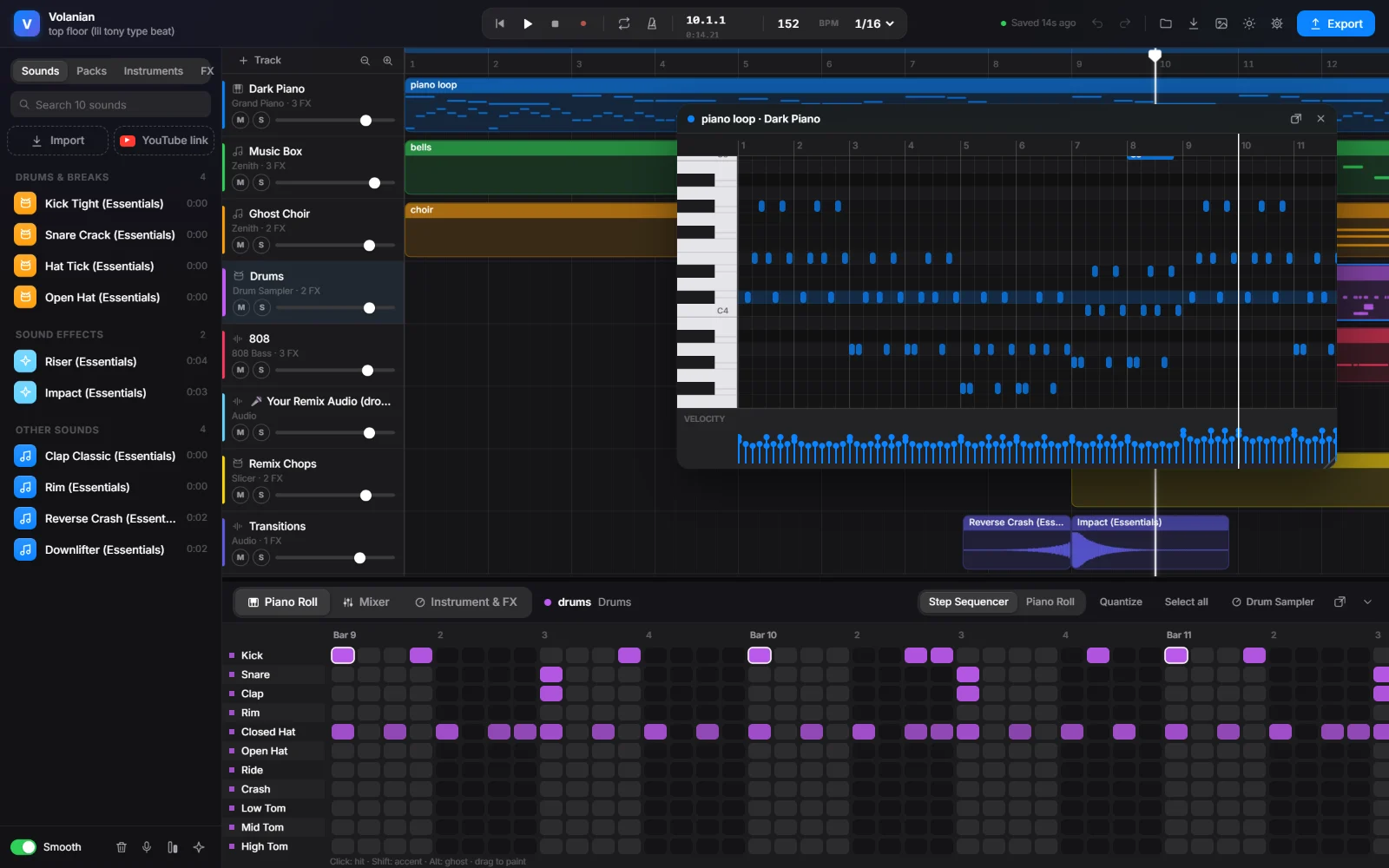
Open several piano rolls at once, move them around, or pop one out onto a second monitor.
Ctrl-click to select, drag to slide, Shift-drag to copy. If you know FL Studio, your hands already know this.
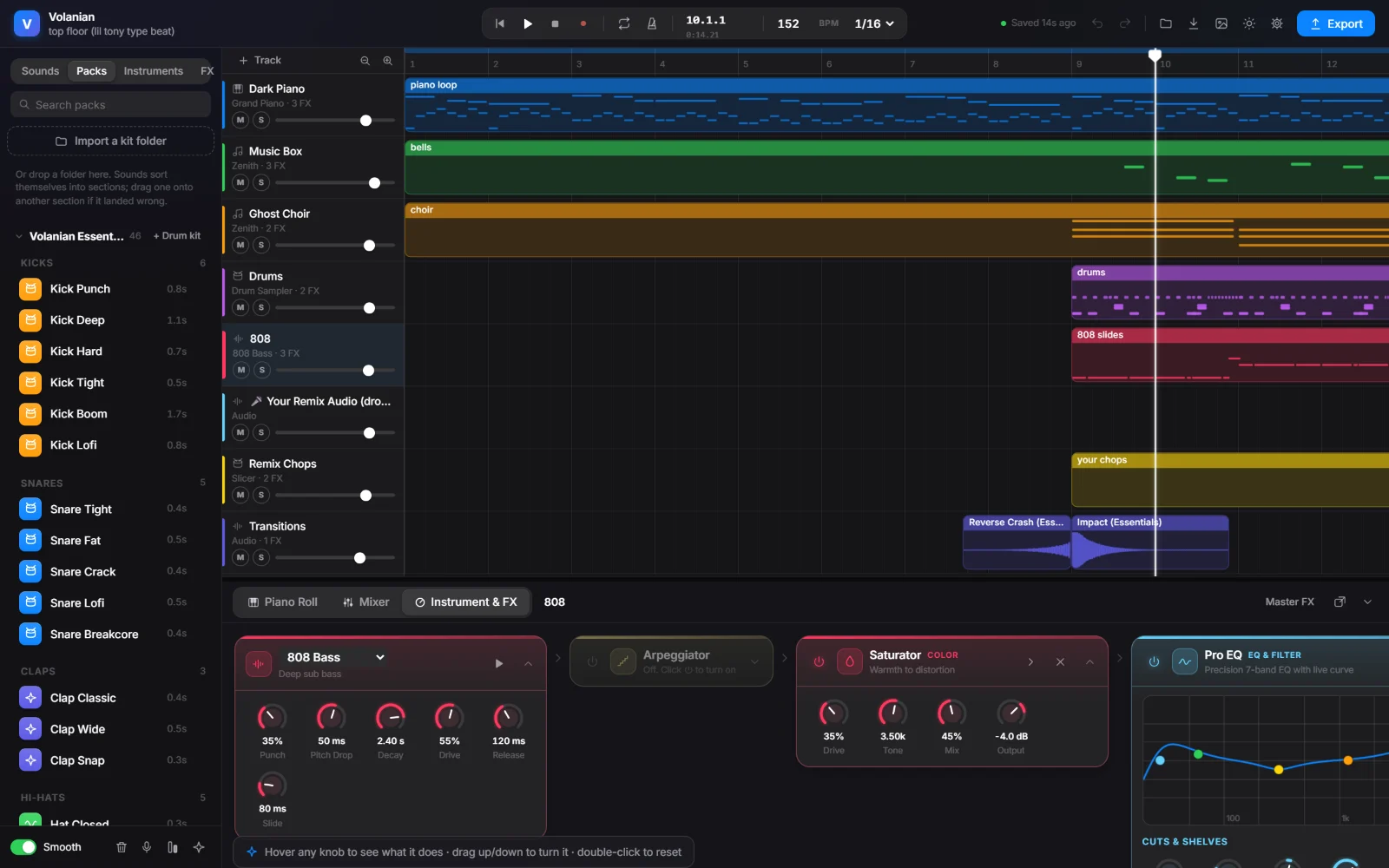
46 ready-made kicks, snares, hats, 808s, risers and loops, all original and free to use.
Drop in your own kit folder and Volanian sorts it into kicks, snares, hats and more by listening to each sound.
Seeing “Windows protected your PC”? Windows shows that for new apps that aren’t from the Microsoft Store. Click “More info”, then “Run anyway”.
Yes. No trial, no account and no ads.
Not yet. Volanian is for Windows 10 and 11.
No. Volanian works offline, and your projects stay on your computer.
Yes. The built-in sounds are made by Volanian and are free to use in your music.
That feature needs Python on your PC (free from python.org; tick “Add to PATH” while installing). Volanian sets up the rest the first time you use it. Only use audio you have the rights to.
Your PC may be using a virtual mic such as Voicemod or Steam Streaming. Open Settings → Microphone in Volanian and pick your real microphone.